3 Ways to Create Crossword Puzzles with Grid Genius
Compare all three crossword creation methods — Word List, Freeform Editor, and AI Generation. Learn which method fits your needs, what's free vs. paid, and how sharing works.
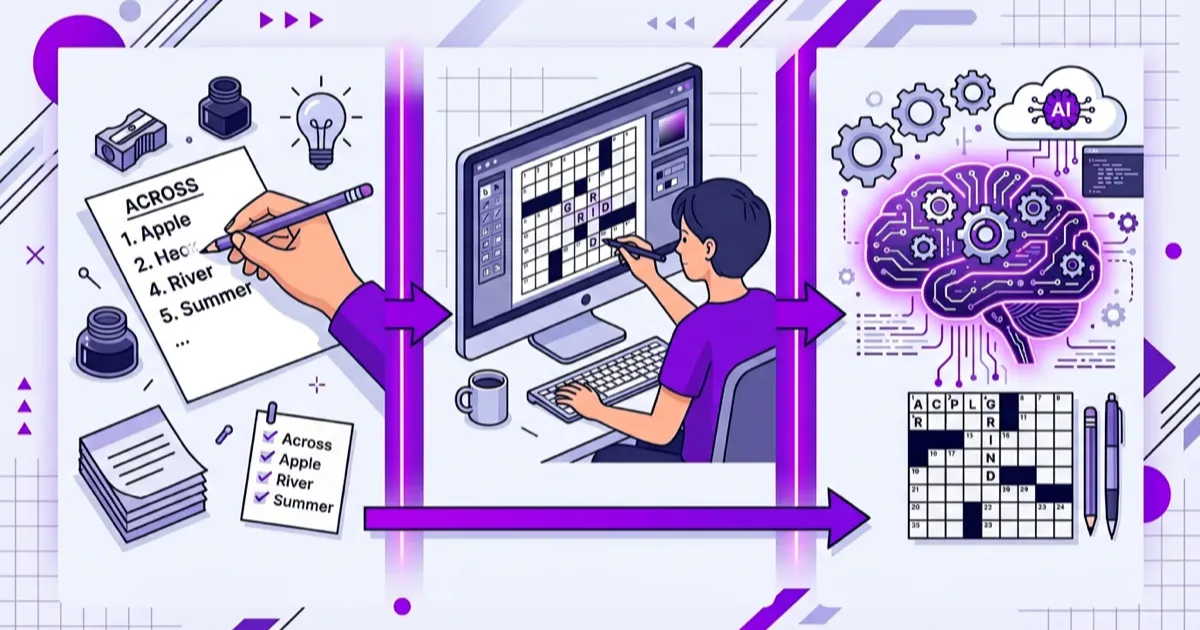
Grid Genius offers three distinct ways to create crossword puzzles, each suited to different needs. Two are completely free (no account required), and one uses AI to generate entire puzzles from a topic.
Here's a complete comparison to help you choose the right method.
At a glance
| Feature | Word List | Freeform Editor | AI Generation |
|---|---|---|---|
| Cost | Free | Free | Pro subscription |
| Account needed | No | No | Yes |
| You provide | Words + clues | Letters on grid + clues | Just a topic |
| Grid layout | Auto-generated | Manual placement | AI-generated |
| Best for | Vocabulary quizzes, themed puzzles | Creative control, professional construction | Quick puzzles on any topic |
| Time to create | 5–15 minutes | 15–60 minutes | Hands-off (AI does the work) |
| Download & print | Yes | Yes | Yes |
| Share a playable link | Yes | Yes | Yes |
| Friends need an account to play? | No | No | No |
1. Word List Builder (Free)
How it works: You type in a list of words and their clues. Grid Genius's algorithm automatically arranges them into an interlocking crossword grid.
Best for:
- Teachers creating vocabulary quizzes or review activities
- Event organizers making themed puzzles (bridal showers, birthday parties)
- Anyone who knows the exact words they want in the puzzle
The process:
- Enter words and clues (minimum 3 words)
- Choose a grid size (7×7, 11×11, or 15×15)
- Click "Generate Crossword"
- Review the grid and clue lists
- Download as a printable image or share a playable link
What to know:
- Words are placed by finding shared letters. Some words may not appear in the final grid if they don't intersect with other placed words
- The algorithm runs multiple attempts to maximize word placement
- You can regenerate with different settings if the result isn't ideal
Detailed guide: How to Create a Crossword with the Word List Builder
2. Freeform Editor (Free)
How it works: You start with a blank grid and type letters directly into cells. You control exactly where every word goes and how the grid looks. Once your layout is complete, you write clues for each detected word.
Best for:
- Crossword enthusiasts who want full creative control
- Constructors who want specific word placements or themed grid shapes
- Puzzles where the visual layout matters (symmetric patterns, hidden messages)
The process:
- Choose a grid size
- Click cells and type letters to fill in the grid
- Use keyboard arrows and Tab to navigate and change direction
- Write clues for each detected word
- Click "Build Crossword" to finalize
- Download or share
What to know:
- Every cell you leave empty becomes a black square
- Words must be at least 2 letters long
- You have complete control — no algorithm rearranges your layout
- This is how professional constructors work (though they usually use specialized software)
Detailed guide: How to Create a Crossword with the Freeform Editor
3. AI Generation (Pro)
How it works: You enter a topic — "Space Exploration," "90s Movies," "Organic Chemistry" — and Grid Genius's AI (powered by Google Gemini) generates a complete crossword. It creates the word list, writes the clues, and arranges the grid.
Best for:
- Quick puzzle creation on any topic
- Exploring new subjects through crosswords
- Generating multiple puzzles at scale
- People who don't want to write their own clues
The process:
- Open the AI Puzzle Creator in the Grid Genius app
- Enter a topic (or choose from 50+ presets)
- Select difficulty (Easy, Medium, or Hard)
- Choose grid size
- AI generates the puzzle automatically
- Play, share, or print
What to know:
- Requires a Pro subscription ($7.99/month or $4.17/month billed annually)
- Plus subscribers get 5 AI-generated puzzles per day
- Pro subscribers get unlimited AI generation
- AI puzzles can include news-grounded content (real-time events) on the Pro plan
- Three difficulty levels control clue complexity independently from grid size
Sharing works the same way
No matter which method you use to create a puzzle, sharing works identically:
- Click "Share with Friends" to open the share modal
- Choose a featured clue for the social media preview image
- Click "Create Shareable Link" to save the puzzle
- Copy the share message or URL
The key benefit: Anyone who receives your link can play the puzzle immediately in their browser. They don't need a Grid Genius account, they don't need to download an app, and they don't need any subscription. Just tap the link and start solving.
This makes Grid Genius puzzles perfect for:
- Classrooms — Send a link to students, they solve on any device
- Social media — Share with a rich preview image showing a featured clue
- Group chats — Paste the link and challenge friends
- Events — Print QR codes linking to the puzzle
Which method should you choose?
Choose Word List if you already know what words you want and just need a grid layout. It's the fastest free method.
Choose Freeform if you want artistic control over the grid layout, you're building a themed puzzle with a specific shape, or you're an experienced constructor.
Choose AI Generation if you want to create puzzles quickly on any topic without manually selecting words and writing clues. The AI handles everything.
You can also combine approaches: use AI to generate a starting point, then customize the result. Or build a word list of domain-specific terms and let the algorithm handle the grid.
A real crossword on any topic.
AI-generated puzzles with smart hints that help you think, not just give away answers. Free to play, no sign-up required.