Print Two Crossword Versions So Neighbors Can't Copy
Print 2 or 4 versions of the same crossword with different grid layouts so desk neighbors cannot copy answers. Same words and clues, one answer key per version.
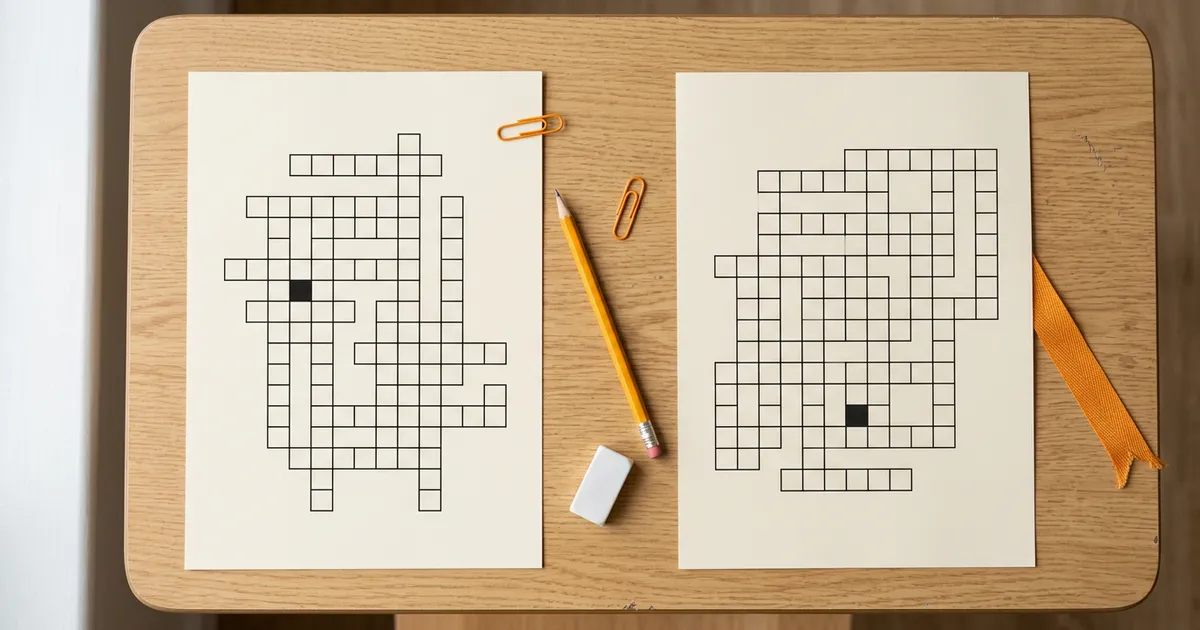
If you have ever handed out a crossword review and watched a student's eyes drift sideways to a neighbor's sheet, you know the problem. The same puzzle on every desk means the same grid, the same numbers, and the same square-by-square answer sitting one seat over. A quick glance is all it takes.
The fix is simple: print more than one version of the same crossword. Grid Genius class sets keep the exact same words and clues but arrange each version on a different grid layout. Desk neighbors end up looking at puzzles that share nothing visually, so copying a square gives them the wrong letter in the wrong place. This guide explains how it works, how to seat the versions, and how to grade them without slowing yourself down.
The problem with one shared version
A standard crossword worksheet is a great review tool. Students recall vocabulary from memory, spelling gets reinforced by intersecting letters, and the whole thing feels more like a game than a quiz. The trouble starts only when every copy in the room is identical.
When the grid is the same for everyone, the answer at 3-Across is in the same place on every sheet. A student does not even need to read the clue to copy it. They match the square. That undercuts the recall practice the puzzle was supposed to create, and it makes your grades less honest.
Splitting the class into different versions removes the shortcut. If the student next to you has a different layout, the square you are staring at holds a different word. To fill in your own grid you have to actually read your own clue and know your own answer.
How Grid Genius class sets work
A class set is a group of versions built from one puzzle. Here is what stays the same and what changes:
- Same word list. Every version uses the identical answers. Nobody gets an easier or harder set of words.
- Same clues. The Across and Down clues are the same text in every version, so the learning target is identical for the whole room.
- Different grid layout. Each version shuffles those words onto a new arrangement of squares. The grid shape, the numbering, and where each answer lands all change from version to version.
- One answer key per version. Because the answers sit in different places on each grid, each version needs its own key. The class set builds them for you.
- One PDF. All the worksheets and all the answer keys come out in a single file, labeled Version A, B, C, and D, so you print once.
You can generate 2 or 4 versions. Two is plenty for most classrooms when you alternate them. Four gives you more separation in tight rooms or at shared tables.
Where the puzzle comes from
You do not have to hand build any of this. Grid Genius uses AI to generate a complete crossword from a topic you type, or you can build one from your own vocabulary list with the free Word List Builder. Either way you get a real puzzle with words, clues, and a grid. Once that puzzle exists, a class set takes it and produces the alternate versions from the same words and clues. The words and the clues you approved are exactly the words and clues that appear on every version.
Making a class set, step by step
- Create or open a puzzle. Generate one from a topic in the Grid Genius app, or build one from your own word list. This part is free.
- Open the class-set option on that puzzle. In the Grid Genius app, choose to make a class set from the puzzle you are looking at.
- Pick 2 or 4 versions. Two versions suit most seating charts. Choose four for extra separation.
- Download the PDF. You get every worksheet plus a matching answer key, labeled A through D, in one file.
- Print and distribute. Print the worksheet pages, keep the answer keys for grading, and hand out the versions in an alternating pattern.
Printing a single version of any Grid Genius crossword is free, with the numbered grid, the Across and Down clue lists, and an answer key. Generating more than one version of the same puzzle is a paid feature in the app, included with Pro, because it runs the layout work several times over to find grids that are genuinely different from each other.
How to seat the versions so copying stops
Two versions are enough if you place them well. Think in columns, not rows.
- Alternate down each column. Give the first student in a column Version A, the next Version B, the next A again, and so on. Now every student's front, back, and side neighbors hold a different grid.
- Offset across rows too. Start each column on the opposite version from the column beside it. A student flanked left and right sees two different layouts, neither of which matches their own.
- Use four versions for shared tables. When students sit close on more than one side, four versions (A, B, C, D) let you surround each seat with grids that all differ.
Keep a simple seating note for yourself: which desk got which version. You will want it for grading, and it takes ten seconds to jot down as you hand out sheets.
Grading without the headache
The reason different versions usually scare teachers off is grading. Different sheets sound like different answer keys and a slower pile of marking. Class sets remove that friction.
Because the answers are the same words in every version, you are really grading the same content on every sheet. The only thing that moves is where each word sits. Each version's answer key in the PDF is already filled in on that version's grid, so you match the sheet's version label to its key and grade straight down.
A workflow that keeps it fast:
- Sort the collected sheets into piles by version label.
- Put each pile next to its own answer key page.
- Grade each pile against its matching key.
You are never guessing which key goes with which sheet. The label on the worksheet matches the label on the key.
When class sets are worth it
Class sets shine anywhere a shared grid invites a shortcut:
- Vocabulary quizzes and unit reviews, where the crossword doubles as a low-stakes assessment.
- Spelling and terminology checks in science, history, or a foreign language, where the exact word matters.
- Sub-day activities, where you want a self-contained review that holds up without you hovering over the room.
- Test-prep warm-ups, where honest recall today predicts honest recall on the real exam.
If you want to differentiate difficulty rather than just prevent copying, that is a different tool. See our guide on differentiated vocabulary crosswords for building tiered word lists. Class sets are about keeping the content identical while the layout varies.
Bring the puzzle online too
Every Grid Genius puzzle also plays online in the browser, and each printed sheet can carry a QR code to the interactive version. That matters for two reasons. First, students who finish early or want to review at home can open the same puzzle on a phone or tablet with no app install and no signup. Second, the online version has AI Hints.
Grid Genius AI Hints are not the usual reveal-a-letter crutch. Instead of handing over the answer, they generate a contextual clue that rephrases the original hint or adds a related fact, so a stuck student gets a nudge that still makes them think. Free users get two hints a day plus a daily bonus, which is enough for a student to work through a tricky clue without giving up. For a classroom, that means the online copy supports the students who need scaffolding while the printed class set keeps the graded activity honest.
Try a Vocabulary PuzzleFrequently asked questions
Print more than one version of the same crossword. Grid Genius class sets keep the exact same words and clues but shuffle each puzzle onto a different grid layout, so a student who glances at a neighbor's sheet sees numbers and squares in different places. Seat the versions in an alternating pattern down each column and copying stops being useful.
Yes. Every version in a class set has the identical word list and the identical clues. Only the grid layout changes, so the answers a student writes are the same regardless of which version they hold. That is what makes a single answer key easy to build per version and keeps grading fair.
Printing a single version of any crossword is free on Grid Genius, with a numbered grid, Across and Down clue lists, and an answer key. Generating more than one version of the same puzzle is a paid feature in the Grid Genius app, included with Pro. It unlocks 2 or 4 versions in one PDF, each with its own answer key.
Yes. Because each version places the same answers on a different grid, each version needs its own answer key. A Grid Genius class set puts every worksheet and its matching answer key into a single PDF, labeled Version A, B, C, and D, so you print once and grade each column against the right key.
You can generate 2 or 4 versions of the same crossword. Two versions cover most seating charts when you alternate them down each column. Four versions give you extra separation for tighter rooms or shared tables where students sit close on more than one side.
Keep going
- Free crossword puzzle maker for teachers: build a classroom crossword from your own words.
- Printable crossword puzzles for the classroom: print worksheets with answer keys by subject.
- How to print crossword puzzles: the full print and download walkthrough.
A crossword review works because it makes students recall what they have learned. Class sets protect that recall by taking away the copy-your-neighbor shortcut, without adding any grading burden or changing a single word on the page.
A real crossword on any topic.
AI-generated puzzles with smart hints that help you think, not just give away answers. Free to play, no sign-up required.