Best Printable Crossword Makers: PDFs With Answer Keys
8 crossword makers compared on what matters on paper: PDF output, answer keys, paper size, ink use, word banks and watermarks. Checked November 2026.
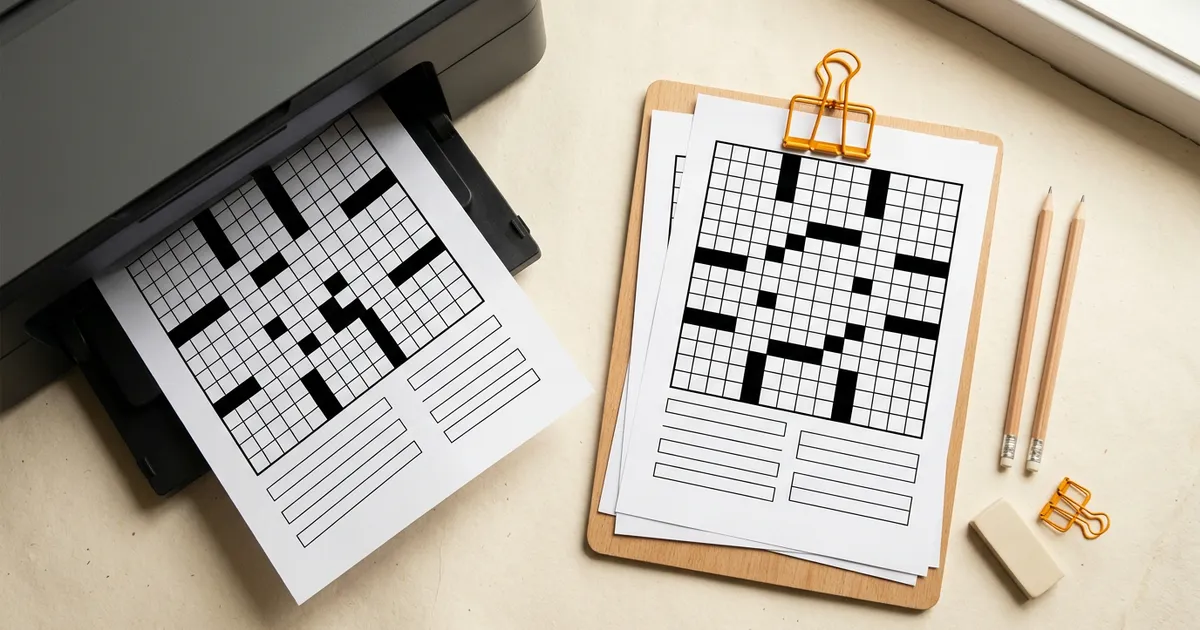
The best printable crossword maker gives you two clean pages: the puzzle and its answer key. Grid Genius does that free from your own words or an AI-written puzzle, with A4 or Letter in its app. Armored Penguin has the most print controls of any free tool, including ink-saving grey squares. Crossword Labs is the no-ads, no-watermark option with a Word export.
We checked every maker below on its official site on 4 November 2026 and only list what those pages say. If you want printable puzzles without making one, skip to ready-made printables. If you are choosing a maker for a whole class rather than for print alone, our crossword makers for teachers comparison covers sharing and grading too.
The short version
- Best free all-rounder: Grid Genius. PDF worksheet and PDF answer key with no account, AI puzzles from a topic, and A4 or Letter, a QR code and name lines when you print from the app.
- Most print options: Armored Penguin. Letter, A4 or 5x7 PDFs, grey squares that save ink, word banks, and answer keys on by default.
- Cleanest free printout: Crossword Labs. No ads, no watermark, PDF or Word export.
- Best blank-plus-solution files: JigsawMake. Every download comes as a blank and a solution version.
- Best for a stack of mixed worksheets: WordMint, if you pay for PDF export.
What makes a crossword print well
A puzzle that looks fine on screen can still fail on paper. These are the details worth checking before you press print on thirty copies.
- A separate answer key. On its own page or file, so you can print one key and thirty puzzles.
- One page, puzzle and clues together. A grid on page one and the clues on page two means double-sided printing or stapling.
- Squares big enough to write in. A 15x15 grid on Letter paper is fine for adults. Children need a smaller grid or a bigger page.
- The right paper size. US printers default to Letter, most other countries to A4. A Letter PDF on A4 paper usually crops the bottom or shrinks the grid.
- Ink use. Solid black squares eat toner. Grey or outline-only squares do not.
- Branding you can live with. A small footer is usually fine. A large logo over the clues is not.
- Extras for the audience. Name and date lines for a class, a word bank for younger solvers, a QR code if some people will solve online.
Printable crossword makers compared
What each official page showed on 4 November 2026.
| Maker | Free output | Answer key | Paper and print options | Branding on free | Paid (checked November 2026) |
|---|---|---|---|---|---|
| Grid Genius | PDF, PNG, JPEG, .puz, .ipuz, .jpz | Separate PDF or image | App: Letter or A4, name and date lines, notes area, QR code | Small footer | Pro $7.99/month or $49.99/year removes the app footer, adds class sets |
| Armored Penguin | PDF or HTML | Included unless you omit it | US Letter, A4 or 5x7; grey squares; free-form; word bank; two-page PDF | No price or tier shown | None shown |
| Crossword Labs | PDF, Microsoft Word, image | Protected by your passcode | Not detailed on the page | "No ads, no watermarks" | Optional membership ($9.95 per its FAQ) |
| JigsawMake | PDF or PNG | Solution version of every download | Not detailed on the page | Small credit and QR code on PDFs | 30-day pass $14.99, yearly $49.99 |
| The Teacher's Corner | Print, PDF or image | Answer KEY button | 30 lines free (10 with an ad blocker) | Ads on the site | Premium 50 lines (price not on the maker page) |
| Oh My Dots | Print preview with download | On a second page or in the footer | Title; header with name, or name and date | Not stated | Not listed |
| EclipseCrossword | Print from a Windows program | Not mentioned on the home page | Windows only | "Totally free, not a trial version" | Free |
| WordMint | Limited printing | Not stated on the pricing page | Not detailed | Not stated | Upgraded $5.99/month or $47.90/year adds PDF and Word |
The makers, one by one
1. Grid Genius
Grid Genius covers both halves of the job: making the puzzle and printing it properly. In the free word list maker, you paste your words and clues and it builds the grid, with no account. Two download menus sit under the finished puzzle: Download Puzzle (PNG, JPEG or PDF, plus .ipuz, .puz and .jpz files for crossword software) and Download Answer Key (PNG, JPEG or PDF). A word list too long for one grid is split into linked parts, and the PDF puts each part on its own page so the packet prints in one go.
If you would rather not write the clues, AI generation builds a whole puzzle from a topic, in a 7x7, 11x11 or 15x15 grid. Every free account gets 3 AI puzzles to start.
Printing from the Grid Genius app (or the web app) opens a print preview with more control: Letter or A4, a Solution page for the answer key, name and date lines, a notes area, a QR code that opens the puzzle online, and an option to print your own progress. The creator of a puzzle can print its answer key before solving it; anyone else unlocks the key by completing the puzzle.
Free versus Pro: web downloads carry a small "Grid Genius · gridgenius.app" footer, and app printouts carry a "Made with Grid Genius" footer that Pro removes. Pro ($7.99 a month or $49.99 a year, checked November 2026) also prints class sets: 2 or 4 versions of the same puzzle with different grid layouts, each with its own answer key, so neighbours cannot copy. See printing crossword versions for how teachers use them.
Honest limits: the web maker's PDF download has no paper-size switch (the app's print preview does), so use Fit to page when you print it on A4.
Make a printable geography crossword2. Armored Penguin
Armored Penguin's crossword maker is a plain web form, and it has more print settings than anything else here. You enter words with clues (or upload a text file of answer:clue lines), then choose:
- Page size: US Letter, 5x7 or A4.
- Square colour: black, or grey, which the page says uses less ink.
- Free form: a PDF-only layout with no black squares at all.
- Word bank, quiz mode and a two-page PDF option.
- Answer keys, which are included unless you tick "Omit answer keys".
It also offers HTML output and a Solve Online page. Two things to know: it builds "simple crossword puzzles" (all your words, loosely joined, not a dense newspaper grid), and generated puzzles stay on its server for about two months, so download your PDF. The page shows no price or paid tier.
Best for: printing on unusual paper, saving ink, or adding a word bank for younger solvers.
3. Crossword Labs
Crossword Labs is the cleanest free printout we found. Its About page says it "has no ads, no watermarks, and no registration required", and that you can "make and print a complete crossword puzzle on Crossword Labs for free". It prints or exports to PDF or Microsoft Word, or downloads an image. The Word export is rare and useful: you can adjust fonts or add instructions before printing.
When you save, you choose a passcode that protects the answer key and lets you edit later. The site says a lost passcode cannot be recovered. Public puzzles appear in search engines; hidden and private puzzles need the optional membership, which its FAQ prices at $9.95.
Best for: a plain, unbranded worksheet, or one you want to tweak in Word.
4. JigsawMake
JigsawMake gives you a blank and a solution version of every download, in PDF or PNG. It can draft 5 to 20 answer and clue pairs from a theme with AI, and it has separate difficulty settings for the clues and for the grid (Easy grids have the most crossings).
The free PDFs carry a small JigsawMake credit and a QR code, and the site shows ads. Premium removes both, from $14.99 for a 30-day pass or $49.99 a year (checked November 2026).
Best for: a matched pair of files, puzzle and solution, every time.
5. The Teacher's Corner
The Teacher's Corner crossword maker prints directly, saves as a PDF or image, and has an Answer KEY button for the solution. It can also write the words and clues with AI from a subject. The free version is ad-supported and allows 30 lines (10 if you use an ad blocker). Premium allows 50 lines, removes ads and gives "unlimited PDF's and Images"; the maker page does not list the price.
Best for: a longer vocabulary list with AI help, if ads on the page do not bother you.
6. Oh My Dots
Oh My Dots has one of the more thoughtful print previews: you set a title and a header (none, name, or name and date), and choose where the solution goes: not printed, on a second page, or in the footer. Its AI can write the words and clues from a topic, and it keeps accented letters, which helps for language worksheets. The page describes the generator as free and does not state limits or file formats for its Download button.
Best for: language teachers, and anyone who wants the answers in the footer of the same page.
7. EclipseCrossword
EclipseCrossword is a downloadable program "for Windows PCs", and its site says it is "totally free, not a trial version". You build the puzzle on your computer and print it from the program. The home page does not mention Mac support or an answer key, so check both before you rely on it.
Best for: making puzzles offline on a Windows PC.
8. WordMint
WordMint is a worksheet generator for crosswords, word searches, bingo cards and matching sheets, with over 300,000 pre-made puzzles. The catch is in the printing: the free plan has limited printing and cannot save as PDF or Word. Upgraded, at $5.99 a month or $47.90 a year, makes creating, printing and saving unlimited.
Best for: people who print many worksheet types and will pay for it.
Also worth knowing: Discovery Education's Puzzlemaker Criss-Cross is free and prints, with a 3,000-character word box. Its page does not mention an answer key, so keep your own.
Ready-made printables
If you need a puzzle in the next five minutes rather than a custom one, the Grid Genius printable crossword library has free puzzles on more than 150 topics, from science and history to holidays. Each page prints with your browser or downloads as a PDF, and the PDF includes the answer key. Our free printable crossword puzzles guide lists the most popular topics.
Printing tips that save a reprint
- Print one copy first. Check that the grid numbers are readable and the clues fit before you run the class set.
- Use Fit to page. It stops a Letter PDF losing its bottom line on A4 paper, and the reverse.
- Turn off headers and footers in the browser print dialog. Otherwise the URL and date print across the top of a browser-printed sheet.
- Size the grid to the solver. For children, a 7x7 or 11x11 grid on a full page is easier to write in than a 15x15.
- Print the key on coloured paper. It is easy to find in a stack and hard to hand out by mistake.
- Grey squares in a pinch. If toner is low, Armored Penguin's grey squares print lighter.
Frequently asked questions
Grid Genius, Crossword Labs and Armored Penguin all print a crossword and its answers free. Grid Genius downloads a PDF worksheet and a separate PDF answer key with no account, and can generate the words and clues with AI. Crossword Labs prints or exports to PDF or Word with no ads or watermark. Armored Penguin offers Letter, A4 and 5x7 PDFs with answer keys included by default and grey squares that use less ink.
Use a maker that produces the key as a separate page or file. In the Grid Genius word list maker, choose Download Answer Key and then PDF. In the Grid Genius app, the print preview has a Solution page option, which the puzzle's creator can turn on before solving. Our guide to printing crossword puzzles walks through it.
Yes. The Grid Genius app's print preview switches between Letter and A4, and Armored Penguin offers US Letter, A4 and a 5x7 page size. If a maker only produces one size, print with 'Fit to page' so the grid is not cropped.
Crossword Labs says it has no watermarks. JigsawMake's free PDFs carry a small credit and QR code that Premium removes. Grid Genius web downloads carry a small gridgenius.app footer, and app printouts carry a 'Made with Grid Genius' footer that Pro removes.
Crossword Labs exports to Microsoft Word, and WordMint's Upgraded plan saves as a Word document. Most other makers produce a PDF, which is better for printing but harder to edit.
A real crossword on any topic.
AI-generated puzzles with smart hints that help you think, not just give away answers. Free to play, no sign-up required.