Best Offline Crossword Apps (2026): No Wifi Needed
Which crossword apps work offline? We read every listing for the word: who plays without wifi, who downloads ahead, and how to test before a flight.
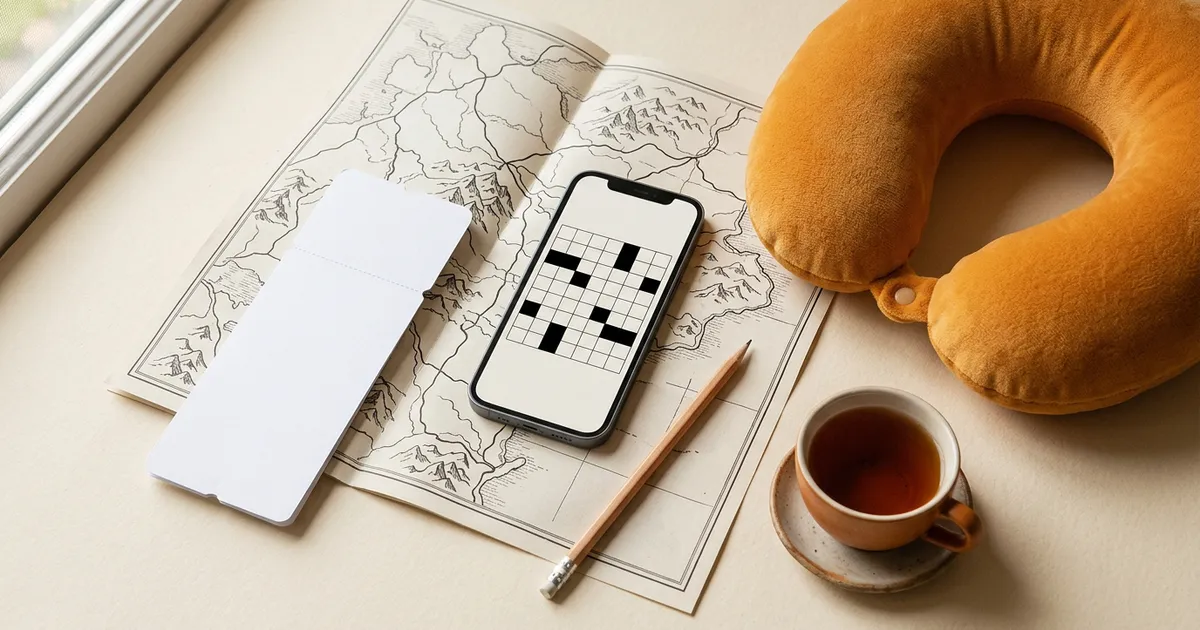
The best offline crossword app for most people is Crossword Puzzle Redstone: its listing says in plain words that you can solve crosswords offline, and it has 30,000+ human-made puzzles to do it with. Apple News+ is the best pick if you already subscribe, because its Offline Mode downloads the puzzles for you. A handful of others play offline on Android only, or only for puzzles you paid for, and several popular apps say nothing at all.
We checked every app on this page against its store listing or official help page on November 4, 2026, and we only call an app "offline" when its own words say so. That rule cut the list down. It also cut our own app: Grid Genius needs a connection to open a puzzle, and we say how we work around that below rather than pretend otherwise.
The short answer
- Best free offline crossword app: Crossword Puzzle Redstone. Offline Mode, 30,000+ puzzles, minis to 15x15. Ad-supported, with a one-time Remove Ads purchase.
- Best if you already pay for Apple News+: Apple News+ Puzzles. Offline Mode downloads the day's puzzles to your iPhone or iPad.
- Best for the New York Times puzzle: NYT Games. Past puzzles can be downloaded and played offline, with a subscription.
- Best paid collections that play offline: Penny Dell. Its ad-free puzzle sets are sold to play offline.
- Best casual offline daily on Android: Daily Themed Crossword, which calls itself an offline word game on Google Play.
- Best mixed puzzle page offline on Android: Puzzle Page.
- Best on paper, which never needs a signal: print a Grid Genius puzzle before you go.
"Offline" means three different things
App listings use the word loosely, and the difference matters at 35,000 feet.
- The library lives on the phone. The app ships with puzzles, or keeps a large batch downloaded, so you can open a new one with no signal. Redstone's Offline Mode is this kind. It is the only kind that lets you browse and pick a fresh puzzle mid-flight.
- You download ahead. The app fetches puzzles while you are online, and only those are playable later. NYT Games, Apple News+, Penny Dell's paid sets and Across Lite work this way. Forget to download, and you have nothing.
- The puzzle needs the server, but your typing survives a dropout. The app loads each puzzle online, and saves your progress locally if the signal goes. Grid Genius is this kind. A tunnel will not cost you a half-finished grid, but a flight with no wifi will not let you start one.
When a listing says "offline" without saying which kind, assume the second and download before you leave.
Offline crossword apps compared
Every row comes from the app's own listing or help page, checked November 4, 2026. "Not stated" means the listing is silent, not that the app fails offline.
| App | What its own page says about offline | Do this before you lose signal | Ads | Platforms |
|---|---|---|---|---|
| Crossword Puzzle Redstone | "You can solve crosswords offline," plus an Offline Mode | Nothing special; open it once on wifi | Yes; Remove Ads $34.99 once on iOS | iPhone, iPad, Mac, Android |
| Apple News+ Puzzles | Offline Mode downloads puzzles automatically | Turn on Offline Mode in News | No ads mentioned; $12.99/month | iPhone, iPad (Offline Mode); also Mac |
| NYT Games | Help center: past puzzles "can be downloaded and played offline" | Download the puzzles you want | App Store label; Crossword needs a subscription | iPhone, iPad, Android, web |
| Penny Dell | Paid "ad-free... puzzle collections to play offline" | Buy and open a collection | Yes on the free dailies; Remove Ads $19.99 | iPhone, iPad, Android |
| Daily Themed Crossword | Google Play: "Offline word game" | Test in airplane mode on iPhone | Yes; VIP subscription removes them | iPhone, iPad, Android |
| Puzzle Page | Google Play: "Continue playing puzzles offline without wifi" | Test in airplane mode on iPhone | Yes; any purchase disables them | iPhone, iPad, Android |
| Across Lite Crosswords | "Puzzles can be downloaded and available to solve even when offline" | Download your .puz files | No ad label | iPad only; last updated 2020 |
| Crosswords Classic | Needs "an internet connection to download puzzles"; offline solving not stated | Download the day's puzzles | No ad label; $9.99 | iPhone, iPad |
| Grid Genius | Opening a puzzle needs a connection; typing is saved through dropouts | Print a PDF | Web: none. Apps: optional reward videos | iPhone, iPad, Android, web |
The apps, one by one
Crossword Puzzle Redstone (best free offline library)
Redstone is the easy answer because its listing does not hedge. The description says "You can solve crosswords offline," and the feature list names an Offline Mode next to Dark Mode and Landscape Mode. The catalog is large: 30,000+ human-made puzzles, in Minis, Midis and Regular 15x15, at four difficulty levels from Easy to Master. Solving help is built in too, with Show Errors, Reveal Help and Smart Step navigation.
The cost is ads. Both stores flag them, and the App Store sells a one-time Remove Ads purchase for $34.99, with no subscription. It runs on iPhone, iPad, Apple silicon Macs and Android, which makes it the most portable offline choice on this list.
Best for: anyone who wants to open a fresh puzzle at 35,000 feet without planning ahead.
Apple News+ Puzzles (best if you already subscribe)
Apple's News+ puzzles include a daily crossword and a crossword mini, plus Quartiles, sudoku and the Emoji Game. When Apple added them in May 2024, it also added Offline Mode on iPhone and iPad, which in Apple's words automatically downloads puzzles "to access later, without Wi-Fi or a cellular connection."
The limits are price and geography. News+ is $12.99 a month after a free trial (or part of Apple One Premier), and Apple lists it in the United States, Canada, the United Kingdom and Australia only. If you already pay for it, this is the least effort offline crossword there is. If you would subscribe only for the puzzles, it is expensive.
Best for: Apple News+ subscribers who travel with an iPhone or iPad.
NYT Games (best for the Times puzzle, with planning)
Neither the App Store nor the Google Play listing mentions offline play, but the New York Times help center does: it describes "past puzzles that can be downloaded and played offline." One iOS detail is worth knowing. Downloaded puzzles that you solved more than 30 days earlier are removed from your device automatically, so an old download pile will not grow forever.
The Crossword, the Mini and the Midi all need a subscription, which the App Store lists at $6.99 and $39.99. Download before you leave, and open one in airplane mode to be sure.
Best for: subscribers who want the Times on a flight and will remember to download.
Penny Dell (best paid collections for offline)
Penny Dell's free side is three new crosswords a day at Easy, Medium and Hard. Its offline promise is about the paid side: the listing advertises "over 10,000 all-new, ad-free Easy to Hard puzzle collections to play offline." Sets sell as in-app purchases from $2.99, and a one-time Remove Ads purchase is $19.99 on the App Store.
The listing does not say whether the three free dailies work offline, so treat those as online puzzles. If you buy a set, open it once on wifi before you go.
Best for: magazine crossword fans who will pay for a set they can take anywhere.
Daily Themed Crossword (Android offline, casual)
PlaySimple's Daily Themed Crossword is a light, pop-culture daily. On Google Play it calls itself an "Offline word game" and promises three free themed daily puzzles. The App Store listing makes neither claim and describes one new puzzle a day, so the two versions are described differently. It is ad-supported, with coins for hints and a VIP subscription that removes ads.
Best for: Android users who want a gentle themed puzzle on the train.
Puzzle Page (Android offline, mixed puzzles)
Puzzle Page is a daily page of more than 20 puzzle types, crosswords among them. Its Google Play listing says you can "Continue playing puzzles offline without wifi." The App Store listing does not repeat it. The ad story is the friendliest here: the Play listing's FAQ says any in-app purchase disables ads, and the smallest pack is $2.99.
Best for: people who want a crossword one day and a sudoku the next, offline on Android.
Across Lite Crosswords (iPad, .puz files)
Literate Software's iPad app opens the .puz files that newspapers and indie constructors publish, and its listing is explicit: "Puzzles can be downloaded and available to solve even when offline." It is free with no ad label, and a $4.99 premium upgrade adds extras such as a timer. The catch is age: the version history shows no update since April 2020, and it runs on iPad only.
Best for: iPad solvers with a folder of .puz files who accept an unmaintained app.
Crosswords Classic (download-first newspaper puzzles)
Stand Alone's $9.99 iPhone and iPad app downloads daily puzzles from newspaper sources. Its listing says it "requires an internet connection to download puzzles," and it says nothing about solving offline afterward. We would not book a flight on it without the airplane-mode test below.
Grid Genius and offline: the honest answer
Grid Genius is not an offline crossword app, and this is a page where that matters. Opening a puzzle, finishing it, and asking for an AI hint all need a connection, on the web and in the iPhone, iPad and Android apps.
Two things soften it. First, the app saves your typing on the device before it talks to the server. If the signal drops in a tunnel, keep going: what you enter is kept locally and syncs when you are back online. Second, paper works everywhere. Any puzzle, including the daily challenge or one you generate on your own topic, has an Export and Print option, and printing is free. You can print a blank grid, or print your progress on a puzzle you have already started and finish it in pencil. The solution page unlocks once you complete the puzzle (or right away, if you made it). For ready-made sheets, the site also keeps free printable crossword puzzles on 150+ topics, and our guide on how to print crossword puzzles covers paper sizes and settings.
So the realistic Grid Genius travel plan is: print two or three puzzles before you leave, solve them on the plane, and pick the daily back up when you land. If you are flying with a phone that has wifi on board, the app works normally.
Print today's Grid Genius dailyThe airplane-mode test
Listings are promises. This five-minute test is proof, and it works for any app on this page.
- On wifi, open the app and do whatever its offline step is: open Offline Mode, download the puzzles, or open a paid collection once.
- Switch on airplane mode, and make sure wifi is off too.
- Force-close the app (swipe it away), so it cannot lean on anything still in memory.
- Reopen it and start a new puzzle, not the one you were just on. Type a few letters and move between clues.
- Close and reopen once more to check that your letters were saved.
If any step shows a spinner, an error or a sign-in wall, that app is online-only for your purposes. Better to learn it at home than at the gate.
How to choose
- You want the most puzzles with the least planning. Redstone. Pay the one-time Remove Ads if the ads wear on you.
- You already subscribe to Apple News+. Turn on Offline Mode and the puzzles come with you.
- You want the New York Times puzzle. NYT Games with a subscription, and download before you leave.
- You want magazine puzzles and will buy a set. Penny Dell's offline collections.
- You are on Android and want something light. Daily Themed Crossword or Puzzle Page.
- You want a puzzle about your own topic, or a gentle AI hint when you are stuck. Grid Genius, printed for the flight and played in the app on the ground.
If ads matter as much as signal, our guide to crossword apps with no ads covers which of these go quiet and for how much. Android users can also check our best crossword apps for Android roundup, which notes the offline line on every Google Play listing.
Frequently asked questions
For most people it is Crossword Puzzle Redstone. Its listing says plainly that you can solve crosswords offline, it has an Offline Mode, and it carries 30,000+ human-made puzzles in mini, midi and 15x15 sizes on iPhone, iPad and Android. It is free with ads, and a one-time $34.99 purchase removes them on the App Store. If you subscribe to Apple News+, its Offline Mode downloads the daily puzzles to your iPhone or iPad automatically.
Partly. The NYT help center says past puzzles can be downloaded and played offline, and on iOS downloaded puzzles that you solved more than 30 days earlier are removed automatically. Neither store listing mentions offline play, and the Crossword itself needs a subscription. Download what you want while you still have a connection, then test it in airplane mode.
Yes. Crossword Puzzle Redstone is free with ads and says you can solve offline. Daily Themed Crossword describes itself as an offline word game on Google Play, and Puzzle Page's Google Play listing says you can keep playing offline without wifi. Their App Store listings do not repeat the claim, so iPhone users should run an airplane-mode test before relying on it.
No, not for opening new puzzles. Grid Genius loads each puzzle from its server, and finishing a puzzle or asking for an AI hint also needs a connection. If your signal drops mid-solve, what you have typed is saved on the device and syncs when you reconnect. For a flight, print a puzzle as a PDF first: printing is free, and you can print your progress on a puzzle you have already started.
Before you leave, open the app on wifi and download or open the puzzles you want. Then switch on airplane mode, force-close the app, reopen it and start one of those puzzles. If it opens and accepts letters, it works offline. If it shows a spinner or an error, plan on paper instead.
A real crossword on any topic.
AI-generated puzzles with smart hints that help you think, not just give away answers. Free to play, no sign-up required.