Best Crossword Apps for Seniors (2026): Big Text, No Fuss
Crossword apps for seniors compared: which let you enlarge the clues, zoom the grid and hide the timer, and which free dailies feel like the newspaper.
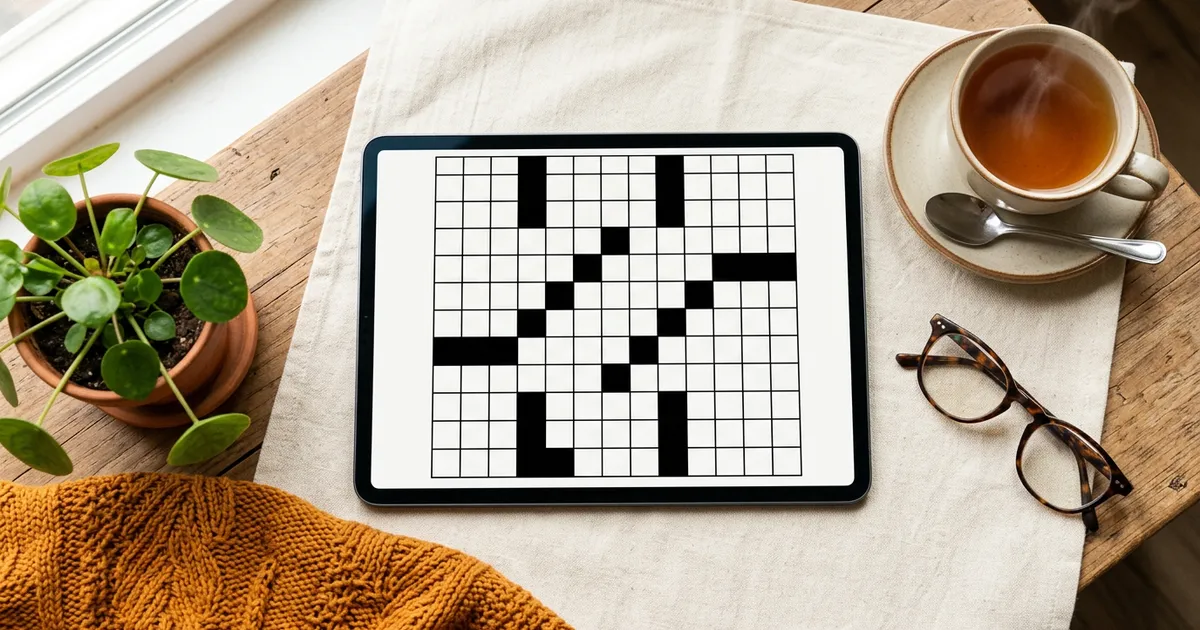
The best crossword app for seniors is one you can read without squinting and play without fighting. NYT Games is the strongest pick for the classic puzzle, because its settings let you change the clue size and you can zoom the grid. Penny Dell is the friendliest free option, with three new magazine crosswords every day and a listing that says outright its games are designed for adults and seniors. Crossword Puzzles! by DexCheck has a dedicated large-clue setting on iPhone. And Grid Genius is the pick for a calm, free daily with no timer pressure and hints that nudge rather than spoil.
This guide is for anyone who wants "the simple version they remember": a real grid, real clues, black-and-white squares, and nothing jumping out between puzzles. We judged each app on readability, simplicity and how often it interrupts you, and we checked every claim about text size against the app's own listing or help page on November 4, 2026. Where a listing says nothing about text size, we say so rather than assume. If you are new to crosswords, or returning after years, our guide to crossword puzzles for seniors covers the brain-health research and how to get started.
The short answer
- Best for the classic newspaper puzzle: NYT Games. Clue size setting, pinch to zoom, Large Print when you print from a computer. Subscription.
- Best free classic feel: Penny Dell. Three new crosswords a day at Easy, Medium and Hard, made for adults and seniors.
- Best large-text setting on iPhone: Crossword Puzzles! by DexCheck. A Large clue text setting and every daily of the current month free.
- Best big library with a clean look: Crossword Puzzle Redstone. 30,000+ puzzles, a dark mode, and landscape on tablets.
- Best on a computer: AARP Games, in a browser, with a free Daily Crossword and a gentler Daily American Crossword.
- Best calm daily with gentle hints: Grid Genius. Hide the timer, check answers free, reword a clue instead of revealing it.
What makes a crossword app easy on the eyes
Five things matter more than the puzzle count.
- A text-size control, or respect for your phone's text size. The clue is what you read most. An app that lets you enlarge it is worth more than any feature list.
- Zoom on the grid. On a phone, the grid is small by necessity. Pinch to zoom keeps squares big enough to tap accurately.
- Contrast. Black squares, white cells, dark letters. A dark mode helps in the evening; a busy color theme does not.
- No time pressure. A ticking clock is optional fun for some and stress for others. The best apps let you hide or pause it.
- Few interruptions. A full-screen ad between puzzles is the biggest annoyance for most solvers. Look for a one-time Remove Ads purchase, or an app with no forced ads.
A sixth, often forgotten: print. Some days a pencil and paper is the most comfortable screen of all.
Crossword apps for seniors compared
Text-size notes are quoted or paraphrased from each app's own listing or help page, checked November 4, 2026.
| App | Text size | Zoom and display | Free daily | Ads | Platforms |
|---|---|---|---|---|---|
| NYT Games | Clue size setting | Pinch to zoom, Clue View, dark mode | No, subscription | Label on App Store | iPhone, iPad, Android, web |
| Penny Dell | Not stated | Pinch to zoom (developer FAQ) | Three a day | Yes; Remove Ads $19.99 once | iPhone, iPad, Android |
| Crossword Puzzles! (DexCheck) | Larger default clue text, plus a Large clue text setting | Improved contrast on the selected word | Every daily of the current month | Yes | iOS |
| Crossword Puzzle Redstone | Not stated | Dark mode, themes, landscape on tablets | Not stated; large free library | Yes; Remove Ads $34.99 once | iPhone, iPad, Mac, Android |
| Crosswords Classic | Resize the clue list (iPad only) | Pinch to zoom; white-on-black clue option on iPad | Puzzles from free newspaper sources | No label; $9.99 | iPhone, iPad |
| Crossword Puzzles (FgCos) | "Large, easy-to-read font" | Whole grid on screen, light and dark mode | Not stated; 3,700+ puzzles | Yes | Android |
| AARP Games | Not stated | Desktop-sized in a browser | Daily Crossword and Daily American Crossword | Yes | Web |
| Grid Genius | Follows your device text size, within limits | Pinch to zoom, light and dark themes, tablets rotate | One a day, no account | None on web; optional videos in apps | iPhone, iPad, Android, web |
The apps, one by one
NYT Games (the classic, with a clue size setting)
The New York Times help center covers exactly what an older eye needs. In the app's settings you can change the "color theme and clue size," and choose dark, light or automatic display. To make the grid bigger, "spread your thumb and index finger open to zoom in on the puzzle," or switch to Clue View. If you print from a computer, a Large Print option "will make the print larger to make the Crossword easier to read." The app itself has no print button.
The puzzle is the one many people grew up with. The cost is a subscription: the App Store lists a New York Times Crossword Subscription at $6.99 and $39.99. It requires iOS 18 on Apple devices, so an older iPad may not run it.
Best for: longtime Times solvers who want the real thing, readable.
Penny Dell (free, familiar, made for adults and seniors)
If you remember Dell and Penny Press puzzle magazines, this is their app. The listing says its games "are designed for adults and seniors and everyone who loves a fun challenge," and you get "three brand-new, free crosswords" every day at Easy, Medium and Hard. Hints show the current letter or word, and a button shows your errors. The developer's FAQ explains zoom: "Zoom in by pushing your fingers out on the grid."
The listing does not mention a text-size setting. It is free with ads, and on the App Store a one-time Remove Ads purchase costs $19.99, with no subscription. One oddity: the App Store shows an 18+ age rating, while Google Play rates it Everyone.
Best for: anyone who wants a free daily that feels like the puzzle magazines.
Crossword Puzzles! by DexCheck (large clue text on iPhone)
This iOS app is the clearest about text size of any on the list. Its release notes say: "We've increased the baseline clue text size," and add a "Large clue text setting" to make clues larger still, along with better contrast on the selected letter and word. The daily offer is generous: "Every daily puzzle in the current month is free, not just today's." It shows ads, and extra puzzles are sold as ticket packs. We checked the iOS listing only.
Best for: iPhone solvers who mainly need bigger clues.
Crossword Puzzle Redstone (big library, clean design)
Redstone has 30,000+ human-made puzzles in mini, midi and 15x15 sizes, and four difficulty levels starting at Easy. Its display options are the useful kind: Dark Mode, interface themes and Landscape Mode on tablets, and recent release notes mention refined typography and better dark-mode contrast. The listing does not mention a text-size setting. It is free with ads, with a one-time $34.99 Remove Ads purchase on the App Store, and it also plays offline.
Best for: solvers who want a huge supply of classic puzzles on a tablet.
Crosswords Classic (iPad font control)
Stand Alone's $9.99 app lets you "Tap the clue list with two fingers to adjust the font size (iPad only)." Its FAQ adds pinch to zoom, and on iPad, turning off Newspaper Style gives white clues on a black background, which some readers find easier. It pulls new puzzles every day from free newspaper sources. Two cautions: the developer says it will not add new features, and the font control is iPad only.
Best for: iPad owners who want newspaper puzzles and adjustable clue text.
Crossword Puzzles by FgCos (Android, large font)
On Android, this library of "more than 3,700 classic crossword puzzles" promises a "Large, easy-to-read font for relaxed solving," light and dark mode, and a layout that shows the entire grid at once with no scrolling. It shows ads and has in-app purchases. It is a library rather than a daily, which suits solvers who like to work through a stack at their own pace.
Best for: Android users who want large type and a classic look.
AARP Games (free, in a browser)
AARP's games run on a web page, so they work on any computer with a big screen. The free Daily Crossword offers "a different crossword puzzle every day," and the Daily American Crossword is "a free daily crossword that's not too difficult," which AARP calls ideal for beginners and casual solvers. A Mini is there for quick breaks. Some puzzles, such as Stanley Newman's Throwback Thursday Crossword, are for AARP members only. The pages carry ads, and AARP's pages do not mention a large-print option.
Best for: solvers who prefer a laptop or desktop screen to a phone.
Worth knowing: apps that say "large" but show no setting
Vita Crossword markets itself as "meticulously crafted for seniors," with "larger letter tiles and grid squares" and simpler puzzles, and it is popular on both stores. Its listing does not describe written clues, a text-size setting or a daily, so read the screenshots before you install to make sure it is the kind of puzzle you want.
Grid Genius for relaxed solving
Grid Genius was not built only for seniors, but several of its choices suit a calm, readable solve.
- It follows your device text size. Grid Genius respects the text size you set on your iPhone, iPad or Android phone, up to a limit that keeps the layout from breaking. There is no separate in-app font slider; we would rather tell you that than imply one.
- Pinch to zoom the grid, and on an iPad or other tablet you can turn the screen sideways. On a laptop, play.gridgenius.app fills a big screen in any browser.
- No time pressure. The timer can be hidden in Settings. Your time is still recorded for your stats, but you never have to watch it.
- Checking is always free, and an Auto-Check setting can mark wrong letters as you type, if you like that.
- Hints that nudge, not spoil. Stuck on a clue, you can ask for a reworded version of it, the way a friend would rephrase it, before revealing a letter.
- Easy difficulty and a 7x7 Mini size, on any topic you choose, from gardening to 1960s music. A topic you know well is the gentlest start there is.
- Classic looks. Classic Light and Classic Dark themes are free.
- Few interruptions. No ads at all on the web. In the phone apps, no banners and no full-screen ads between puzzles; the only ads are optional videos you can choose to watch for an extra hint.
- Print any puzzle as a PDF for pencil and paper, free.
The daily challenge needs no account: open it and play. The honest limits: the puzzles are AI-generated rather than by a named newspaper constructor, the daily is an 11x11 grid rather than a 15x15, and there are no cryptic crosswords. You can also browse crosswords for seniors by topic on our site.
Play today's Grid Genius dailySetting up a phone or tablet for comfortable solving
These device settings help every app above, not just one.
- Turn up the system text size. iPhone and iPad: Settings, Display and Brightness, Text Size. Android: usually Settings, Display, Font size (the exact path varies by phone maker). Apps that follow it get bigger clues right away.
- Try Bold Text. On iPhone and iPad it is in the same Display and Brightness screen. Thin letters on a white cell are the hardest to read.
- Use a tablet sideways. Many apps show the grid and the clue list side by side in landscape.
- Lower the brightness, raise the contrast. Dark mode in the evening is easier on tired eyes.
- Print when it suits you. Printed puzzles are as big as the paper. Our guide to free printable crossword puzzles has ready-made sheets.
How to choose
- You want the newspaper puzzle you grew up with. NYT Games, with the clue size turned up.
- You want free puzzles that feel like the magazines. Penny Dell.
- Your main need is bigger clues on an iPhone. Crossword Puzzles! by DexCheck.
- You want lots of puzzles on a tablet. Redstone in landscape.
- You prefer a computer. AARP Games, or Grid Genius in a browser.
- You want a calm daily, no clock, and hints that help you think. Grid Genius.
For newcomers, our easy crossword puzzles for beginners guide explains how to pick a first puzzle.
Frequently asked questions
For the New York Times puzzle, NYT Games lets you change the clue size and zoom the grid, with a subscription. For a free classic feel, Penny Dell gives three new magazine crosswords a day and says its games are designed for adults and seniors. On iPhone, Crossword Puzzles! by DexCheck has a large clue text setting and free dailies for the whole month. Grid Genius suits solvers who want a free daily with no time pressure, a hideable timer, and hints that reword a clue instead of giving away the answer.
A few apps state a real text-size control. NYT Games lets you change the clue size in settings and offers Large Print when you print from a computer. Crossword Puzzles! by DexCheck on iPhone has a Large clue text setting. Crosswords Classic lets you resize the clue list on an iPad. On Android, FgCos's Crossword Puzzles advertises a large, easy-to-read font. Most other apps, including Redstone and Penny Dell, do not mention a text-size setting, but you can zoom their grids.
Yes. Penny Dell gives three free crosswords a day, Crossword Puzzle Redstone has 30,000+ free puzzles, and AARP Games has a free Daily Crossword and a Daily American Crossword it describes as not too difficult, in a web browser. Grid Genius has a free daily puzzle with no account needed and no ads on the web. Most free apps show ads, so check the listing for a one-time Remove Ads purchase if ads bother you.
Look for apps with an Easy level and small grids. Penny Dell's daily Easy puzzle, AARP's Daily American Crossword and the Apple News+ crossword mini are all pitched as gentle. Grid Genius lets you choose Easy difficulty and a 7x7 Mini size on any topic you know well, which is the fastest way to build confidence.
Often, yes. Start with the app's own settings (NYT Games has a clue size option). Many apps also follow your device text size: on iPhone and iPad it is under Settings, Display and Brightness, Text Size, and on Android it is usually under Settings, Display, Font size. Pinch outward on the grid to zoom. A tablet held sideways, or a laptop browser, gives the biggest grid of all.
A real crossword on any topic.
AI-generated puzzles with smart hints that help you think, not just give away answers. Free to play, no sign-up required.