Best Crossword Apps and Makers for Kids (2026)
Crossword apps for kids, checked November 2026: which are made for children, which collect no data, which show ads, and how to make a crossword from spelling words.
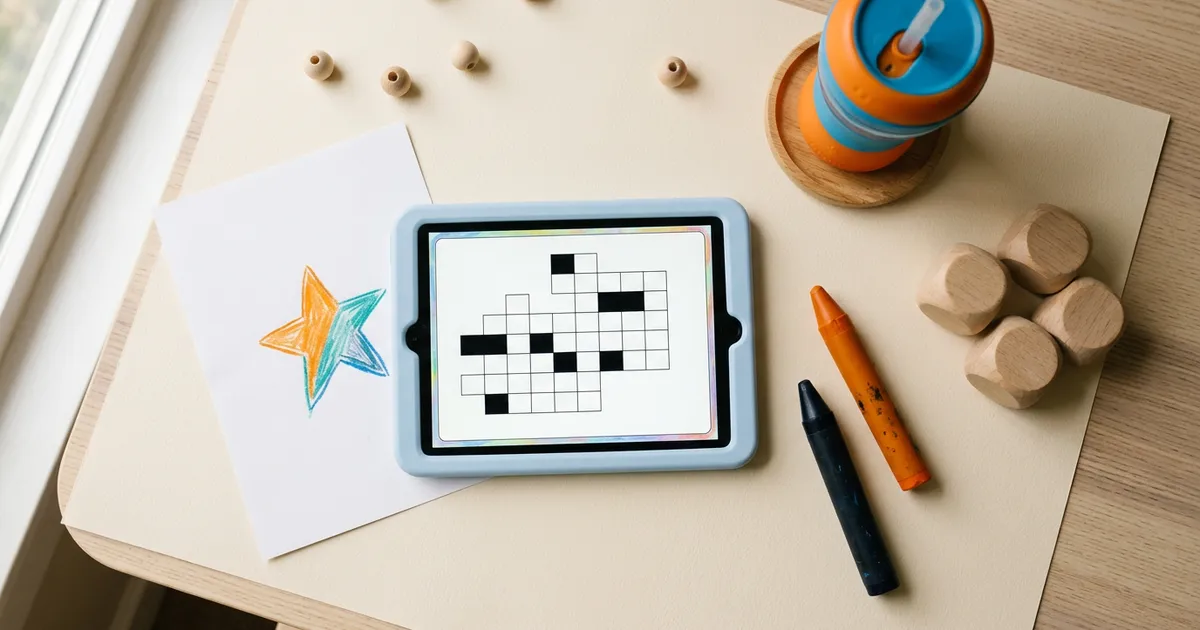
The best crossword apps for kids are small, specific and often made by tiny developers, so the field is thinner than the big adult apps. On iPhone and iPad, Crosswords for Kids is the standout: made for ages 6 to 8, no ads, and a privacy label that says no data is collected. On Android, Crossword by MBD Group is free, uses picture hints and also collects no data. And for many families the most useful "app" is a crossword maker, which turns this week's spelling list into a puzzle a child actually wants to finish.
We checked every listing in this guide on November 4, 2026, and we left out apps that had not been updated in years or had vanished from the stores. That cut a lot: several kids' crossword apps that still appear in older roundups return a 404 today. For topic ideas and solving tips by age, see our companion guide to crossword puzzles for kids.
The short answer
- Best for young kids on iPhone and iPad: Crosswords for Kids. $1.99, or free Lite with 8 puzzles. No ads, no data collected.
- Best free picture-clue app on Android: Crossword by MBD Group. Pictures as hints, no ads label, no data collected.
- Best for building puzzles from schoolwork: Grid Genius's free Word List Builder, Discovery Education Puzzlemaker, or Education.com's generator.
- Best free mini for a family solve in a browser: AARP's Mini Crossword, which calls itself great for kids or beginners.
- Use with care: Crossword Master: Kids Puzzles on Android, which shows ads and may share location and activity data.
What to check before a child installs a crossword app
A store listing tells you more than the screenshots do. Five lines are worth reading.
- The age band. On the App Store, look for "Made for Ages" under the rating. It means the developer built the app for that age group, which is different from a content rating like 4+ (no objectionable content, but not necessarily made for kids).
- The ad label. "Contains Advertising" on the App Store or "Contains ads" on Google Play. Ads in a child's game are a distraction at best.
- The privacy summary. App Store "App Privacy" and Google Play "Data safety" sections say what the app collects and shares. "Data Not Collected" is the answer you want.
- The last update. An app untouched for five years may not run well on a new device and gets no fixes.
- In-app purchases. A coin shop in a child's app is an invitation to tap.
Kids crossword apps and tools compared
From each listing or official page, checked November 4, 2026.
| App or tool | Made for | Price | Ads | Data | Platforms |
|---|---|---|---|---|---|
| Crosswords for Kids | Ages 6 to 8 (description says 3 to 10) | $1.99; free Lite with 8 puzzles | No label | "Data Not Collected" | iPhone, iPad, Mac |
| Crossword (MBD Group) | Rated Everyone; education category | Free | No label | "No data collected" | Android |
| Crossword Master: Kids Puzzles | Rated Everyone | Free | Yes | May share location and app activity | Android |
| Discovery Education Puzzlemaker | Teachers, students and parents | Free | Discovery Education promos | Not stated | Web |
| Education.com crossword generator | Readers "at any level" | Free with a monthly cap | Not stated | Not stated | Web |
| AARP Mini Crossword | "Great for kids or beginners" | Free | Yes | Not stated | Web |
| Grid Genius maker | Parents and teachers (not directed at under-13s) | Free maker, no account | None on web | See our privacy policy | Web, iPhone, iPad, Android |
Apps made for children
Crosswords for Kids (iPhone, iPad, Mac)
Made by Lyubov Zhivova and filed under Education, this is the most complete children's crossword app we could verify. The App Store marks it "Made for Ages 6 to 8," and the description stretches that to children 3 to 10. The full app has "48 crosswords with more than 300 words," and the free Lite version has 8, so you can try before paying $1.99. It promises to "help build your child's vocabulary, spelling, reading and writing skills," with a "colour-coded letter system" to guide young solvers.
The parent-friendly details are in the listing's fine print: no advertising label, no in-app purchase label, and an App Privacy section that reads "Data Not Collected." It has been updated every year since 2013, most recently in March.
Best for: early readers who need a guided, quiet first crossword.
Crossword by MBD Group (Android)
This free Android app from MBD Alchemie, a developer based in Delhi, takes a picture-first approach: "Hints are given in the form of a picture in front of the square." It has five levels "with difficulty rising at each level." The listing shows no Contains ads label, it is rated Everyone, and its Data safety section says "No data collected" and "No data shared with third parties." It was last updated in July 2025 and is a small app (10,000+ downloads), so keep expectations modest.
Best for: pre-readers and early readers who learn better from pictures than from written clues.
Crossword Master: Kids Puzzles (Android, with caveats)
This one, formerly listed as Kids Crossword Puzzles, offers Easy, Medium and Hard levels, plays offline, and says it will "improve spelling, and strengthen reading skills." It was updated in August 2026 and says it is "Committed to follow the Play Families Policy." Two cautions, both from its own listing: it carries the Contains ads label, and its Data safety section says it "may share these data types with third parties: Location, App activity and 2 others." We list it so you can make an informed choice, not as a recommendation.
What we could not recommend
Several familiar names did not pass our check. Highlights has no crossword app; its apps focus on Hidden Pictures and other puzzles. A KidloLand app whose subtitle mentions crosswords turns out to be a word search. Happi Spells and Montessori Crosswords for Kids still appear on the App Store but have not been updated since 2017 and 2019. And at least four other kids' crossword apps we looked up now return "not found" on their stores.
Makers: turn this week's words into a crossword
For school-age kids, a puzzle built from their own spelling or vocabulary list beats any generic app. The words are ones they need to learn, and finishing the grid is a reason to practice them. Three free tools do this well.
Grid Genius Word List Builder. Type each word with a clue, and the builder arranges them into a crossword in a 7x7, 11x11 or 15x15 grid. On the website it is free, needs no account, and downloads the puzzle and its answer key. A Freeform Editor lets you place letters by hand instead. In the app, the print screen adds a name and date line, and because you made the puzzle, the answer key is available before anyone solves it. Teachers can also print a class set of differently arranged versions, each with its own key, so neighbors cannot copy. Our guide to making a word-list crossword walks through it, and the crossword puzzle maker for teachers guide covers classroom use.
Discovery Education Puzzlemaker. Discovery Education's free tool builds what it calls a "Criss-Cross Puzzle." You enter "a word followed by a space and then the clue for that word" on each line, up to 3,000 characters. It describes itself as "a puzzle generation tool for teachers, students and parents."
Education.com crossword generator. It promises "custom crossword puzzles that build vocabulary and challenge readers at any level," with a downloadable worksheet and answer key. Free use has a monthly cap on worksheets, and the page does not say how many.
Make a crossword from a word listGrown-up crossword apps and their age ratings
Older kids often want to solve what their parents solve. Here is how the big adult apps are rated on their own listings. A content rating is not a "made for kids" label, and none of these apps is pitched to children.
| App | App Store rating | Google Play rating | Ads |
|---|---|---|---|
| NYT Games | 13+ | Everyone | App Store label; Crossword needs a subscription |
| Crossword Puzzle Redstone | 13+ | Teen | Yes |
| Penny Dell | 18+ | Everyone | Yes |
| Daily Themed Crossword | 13+ | Everyone | Yes |
| Crosswords With Friends | 4+ | Everyone | Yes |
| Puzzle Page | 4+ | Everyone | Yes |
| Grid Genius | 4+ | Everyone | None on web; optional videos in apps |
The ratings disagree across stores for the same app, sometimes widely (Penny Dell is 18+ on one and Everyone on the other), so read them as a hint rather than a verdict, and try the app yourself first.
Where Grid Genius fits
Grid Genius is not a kids' app, and we want to be precise about that. Its store ratings (4+ on the App Store, Everyone on Google Play) describe the content, but our privacy policy says Grid Genius is not directed at children under 13. So for younger children, it is a tool for the adult in the room.
What it does well for families and classrooms:
- Builds puzzles from your words. The Word List Builder and Freeform Editor are free with no account, as above.
- Makes a puzzle on any topic. Type "dinosaurs," "the solar system" or "this week's science words," pick Easy and the 7x7 Mini size, and the AI writes a puzzle about it, clues included. An adult should choose the topic and look over the puzzle before handing it to a child. Your first AI puzzles are free.
- Prints cleanly, with an answer key and optional name and date lines, so screen time is not required at all.
- Hints that teach. For teens solving on their own, an AI hint rewords a stuck clue instead of giving the answer away, which is closer to how a teacher helps.
Teens 13 and up can use the full app, including the free daily challenge. For a ready-made selection, browse crosswords for kids by topic on our site.
How to choose by age
- Ages 3 to 5: picture-first puzzles. Crossword by MBD Group on Android, or Crosswords for Kids Lite on iPad, solved together.
- Ages 6 to 8: Crosswords for Kids, the full version. Then a parent-made crossword from their reading list.
- Ages 9 to 12: puzzles built from schoolwork with a maker, printed or on a parent's device. AARP's Mini Crossword for a quick family solve.
- Ages 13 and up: grown-up apps with an Easy level and small grids. Grid Genius on Easy with the Mini size, or the free LA Times Mini on the web. Our guide to crossword puzzles for families has ideas for solving together.
Frequently asked questions
For young children on iPhone or iPad, Crosswords for Kids by Lyubov Zhivova is the strongest pick we found: $1.99 (with a free Lite version), made for ages 6 to 8, no ads or in-app purchases, and its privacy label says no data is collected. On Android, the free Crossword app from MBD Group uses picture hints and its Data safety section says no data is collected. For older kids, the most useful tool is often a crossword maker, so a parent can turn this week's spelling or vocabulary words into a puzzle.
A few. Crosswords for Kids Lite on iOS is free with 8 crosswords and shows no ad or in-app purchase label. The Crossword app by MBD Group on Android is free with no Contains ads label. Most other kids' word games carry ads, and Crossword Master: Kids Puzzles on Android both shows ads and says it may share location and app activity data with third parties.
Use a word-list crossword maker. In Grid Genius's free Word List Builder you type each word with a clue and it arranges them into a grid, with no account needed, and you can print it with an answer key. Discovery Education's Puzzlemaker builds a free criss-cross puzzle from one word and clue per line, and Education.com's crossword generator makes a printable worksheet and answer key, with a monthly cap on free worksheets.
The NYT Games listing never pitches it to children, the App Store rates the app 13+, and the Mini needs a New York Times subscription. Some families still solve it together. For a free, gentle mini in a browser, AARP's Mini Crossword describes itself as great for kids or beginners.
Grid Genius is rated 4+ on the App Store and Everyone on Google Play, which describes its content. But our privacy policy says Grid Genius is not directed at children under 13, so for younger children it works best as a tool in a parent's or teacher's hands: build a puzzle from their spelling words, then hand it over on your device or print it. Teens 13 and up can solve on their own.
A real crossword on any topic.
AI-generated puzzles with smart hints that help you think, not just give away answers. Free to play, no sign-up required.