Make Your Own Crossword Puzzle: 3 Free Ways
Make your own crossword free: let AI build one from a topic, enter your own words and clues, or draw the grid square by square. Then play, share, or print it.
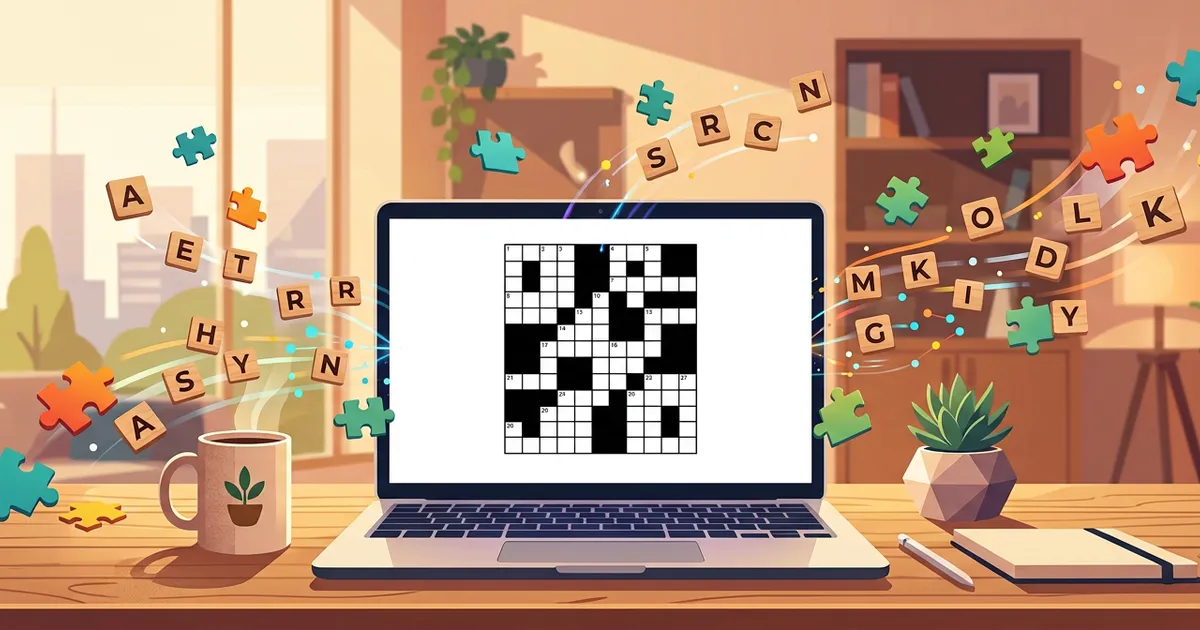
Making your own crossword used to mean graph paper and a free evening. Now it takes a browser tab, and there are three ways to do it, all free to start.
Which one you want comes down to a single question: how much of the puzzle already exists in your head? If the words and the clues are written down, you want the Word List Builder. If you want to place every black square yourself, you want the Freeform Editor. If all you have is a subject, AI generation builds the whole thing from a topic. Every route ends in the same place: a numbered, interlocking grid you can solve on screen, send to someone as a link, or print with a separate answer key.
Three Free Ways to Make Your Own Crossword
1. Word List Builder: your words, your clues. You supply the entries and the clue text, choose a grid size, and the builder interlocks everything into a valid numbered grid. This is the mode teachers reach for, because the words have to be the words from the lesson, not whatever a model thinks is adjacent to the subject. It is completely free, and the walkthrough lives in how to create a word list crossword. Start it at gridgenius.app/create/word-list.
2. Freeform Editor: square by square. You place the black squares, type letters straight into the grid, and write the clues yourself. Nothing is decided for you, including the shape of the grid, which matters if you are building around a specific long entry or a shape that spells something. Also completely free. See how to create a freeform crossword, or open gridgenius.app/create/freeform.
3. AI generation: from a topic. You type a subject, for example "Marine Biology" or "1990s Hip Hop", pick a difficulty and a grid size, and the AI selects the vocabulary, writes every clue, and hands the entries to the layout algorithm. This is the only mode where you never write a clue. Every account includes 3 free AI generations, plus 1 more each day starting the day after you sign up, and Pro ($7.99/month or $49.99/year) removes the cap.
None of the three locks you in. A puzzle you generate can be printed like one you typed by hand, and a word list you build today can be reused for a different grid size tomorrow.
Which Creation Mode Fits Your Puzzle
| Word List Builder | Freeform Editor | AI Generation | |
|---|---|---|---|
| You provide | Words and clues | Every square and clue | A topic |
| Who writes the clues | You | You | The AI |
| You control the exact words | Yes | Yes | No |
| You control the grid shape | No | Yes | No |
| Best for | Lesson vocabulary, names, in-jokes | Constructors who want the layout their way | A puzzle about a subject, fast |
| Cost | Free | Free | 3 free, then 1 free a day, unlimited on Pro |
The honest summary: the two manual modes trade your time for total control, and AI generation trades control for not having to write forty clues. Most people end up using both, one for the puzzle that has to contain specific words, the other for the puzzle that just has to be about something.
How the other crossword makers compare
Plenty of tools will arrange a word list into a grid. Very few will produce the words and the clues from a topic. Filter the table by the capability you actually need.
| Tool | AI gen | AI hints | Any topic | Free tier | Platform |
|---|---|---|---|---|---|
Grid Genius | Daily free | iOS, Android, Web | |||
Crossword Labs | Free (basic) | Web | |||
NYT Crossword | Limited | iOS, Web | |||
Compiler | Paid | Desktop | |||
Discovery Ed. | Free | Web |
If you are choosing an app rather than a single tool, the wider landscape is covered in the best crossword apps of 2026.
Making a Crossword With AI
The AI mode compresses the three jobs a human constructor does by hand. Pick a topic below and watch it run: choosing the vocabulary, writing a clue for each entry, then interlocking them into a grid.
Three things are happening there. The model reads the topic and produces a list of relevant words with a useful spread of lengths, because a grid made only of six-letter words will not interlock. It then writes a clue per word, calibrated to the difficulty you asked for: a plain definition on Easy, misdirection and wordplay on Hard. Finally a separate constraint-solving algorithm arranges the entries so every crossing forms a real letter pair and the grid stays fully connected. The creative half is the model's, the geometry is the algorithm's.
That is the short version. If you want the full account, including how the clue writing changes across difficulty levels and what the answer key export looks like, that is its own guide: AI crossword generator with clues.
Making Crosswords for Class
A crossword is one of the few review activities that is genuinely fun and genuinely graded on recall, which is why teachers make more of them than anyone else. Three parts of the workflow matter:
- The words are not negotiable. Unit vocabulary has to appear exactly as taught, so the Word List Builder is usually the right mode. Paste the list, write the clues at the reading level of the class, and let the builder do the grid.
- The answer key has to be separate. Every printable export puts the grid and the Across and Down lists on one page and the solved grid on its own answer key page, so you can hand out the puzzle and keep the answers. A class set goes further and exports several shuffled versions of the same puzzle, each with its own labelled key, which makes copying off a neighbour pointless.
- Not everyone needs paper. Sharing a puzzle produces a link that students can solve in a browser with no account and no app install, which is the easier route for a homework task or a substitute lesson.
The classroom-specific walkthrough, including differentiating one word list across reading levels, is in the crossword puzzle maker for teachers guide. If you only want something to print today, the free printable crossword puzzles library is ready to go without making anything.
How to Make Your Own Crossword Step by Step
- Open the maker. Go to the free crossword puzzle maker at gridgenius.app/create in any browser, or open Grid Genius on iPhone or Android. Everything syncs across devices, so you can start on a laptop and finish on a phone.
- Choose your mode. Word List Builder if you have the words, Freeform Editor if you want the grid your way, AI Generation if you have a topic. The first two need no account at all.
- Add your content. For a word list, aim for a mix of lengths: a set of eight to twenty entries between three and eleven letters interlocks far more easily than twenty words that are all the same size. For AI generation, be specific. "Ancient Rome" gives a better puzzle than "History".
- Pick a size. Mini (7x7) for a two minute solve, Standard (11x11) for a normal sitting, Large (15x15) when you want a proper newspaper-sized grid. Fewer words fit than people expect, so a long list plus a Mini grid means some entries get dropped.
- Build and review. Read the grid back before you send it. In the manual modes, this is where you catch a clue that gives too much away. In AI generation, regenerate if a word looks off-topic.
- Play, share, or print. Solve it yourself, copy the share link, or export the PDF with its answer key. Sharing and printing are free regardless of how the puzzle was made.
Making one without an account
The Word List Builder and the Freeform Editor run in the browser with nothing to install and no sign-in. You will want an account only when you want the puzzle saved to your library, synced to your phone, or tracked on a leaderboard. The free daily challenge works the same way: no account, new puzzle every day at midnight Eastern.
What it costs, plainly
The two manual makers are free with no limits. PDF export with the answer key is free. Sharing a puzzle is free. AI generation is the only metered part, because each generation is a paid model call behind the scenes: every account gets 3 to start plus 1 more each day from the day after signup, and Pro at $7.99/month or $49.99/year lifts the cap entirely.
Play Today's Free Daily CrosswordFrequently Asked Questions
Open the Word List Builder or the Freeform Editor at gridgenius.app/create. Both are completely free, with no account and no subscription: you enter your words and clues, or draw the grid square by square, then share or print the finished puzzle. AI generation from a topic is free to try as well, with 3 generations on every account plus 1 more each day starting the day after you sign up.
Yes. The Word List Builder takes your entries and your clue text and interlocks them into a valid numbered grid. The Freeform Editor goes further and lets you place every black square yourself. Both are free, both export to PDF, and both produce a shareable link that anyone can play in a browser.
Yes. Every puzzle you make exports as a printable PDF with the grid, the Across and Down clue lists, and a separate answer key page, so you can hand out the puzzle and keep the solutions. Printing and PDF export are free on every plan.
Yes. Enter a topic, a difficulty, and a grid size, and AI generation picks the vocabulary, writes every clue, and builds the grid. Every account includes 3 free AI generations plus 1 more each day starting the day after signup. Pro ($7.99/month or $49.99/year) is unlimited.
Use the Word List Builder with the vocabulary from the lesson, then export the printable PDF. It includes a separate answer key page, and a class set exports multiple shuffled versions of the same puzzle, so copying between desks does not help. You can also share a link that students solve in a browser with no account.
Anything you can name. In the Word List Builder and the Freeform Editor the vocabulary is whatever you type, including names, in-jokes, and lesson-specific terms. With AI generation you can enter broad subjects like Science or History, or narrow ones like Organic Chemistry, Formula 1, or 1990s Hip Hop.
A real crossword on any topic.
AI-generated puzzles with smart hints that help you think, not just give away answers. Free to play, no sign-up required.