How to Print Crossword Puzzles from Grid Genius
Sometimes you just want a crossword on paper. Maybe you're heading on a flight, setting up a classroom activity, or you prefer solving with a pencil. Grid Genius now lets you export any puzzle as a clean, newspaper-style PDF.
Why Print a Crossword?
- Offline solving — no Wi-Fi needed on planes, trains, or coffee shops
- Classrooms & events — print copies for students, team-building, or parties
- Share with friends — hand someone a puzzle without them needing an account
- The pencil-and-paper feel — some solvers just prefer it
How to Export a PDF
It takes two taps from any puzzle screen:
Step 1: Open the Overflow Menu
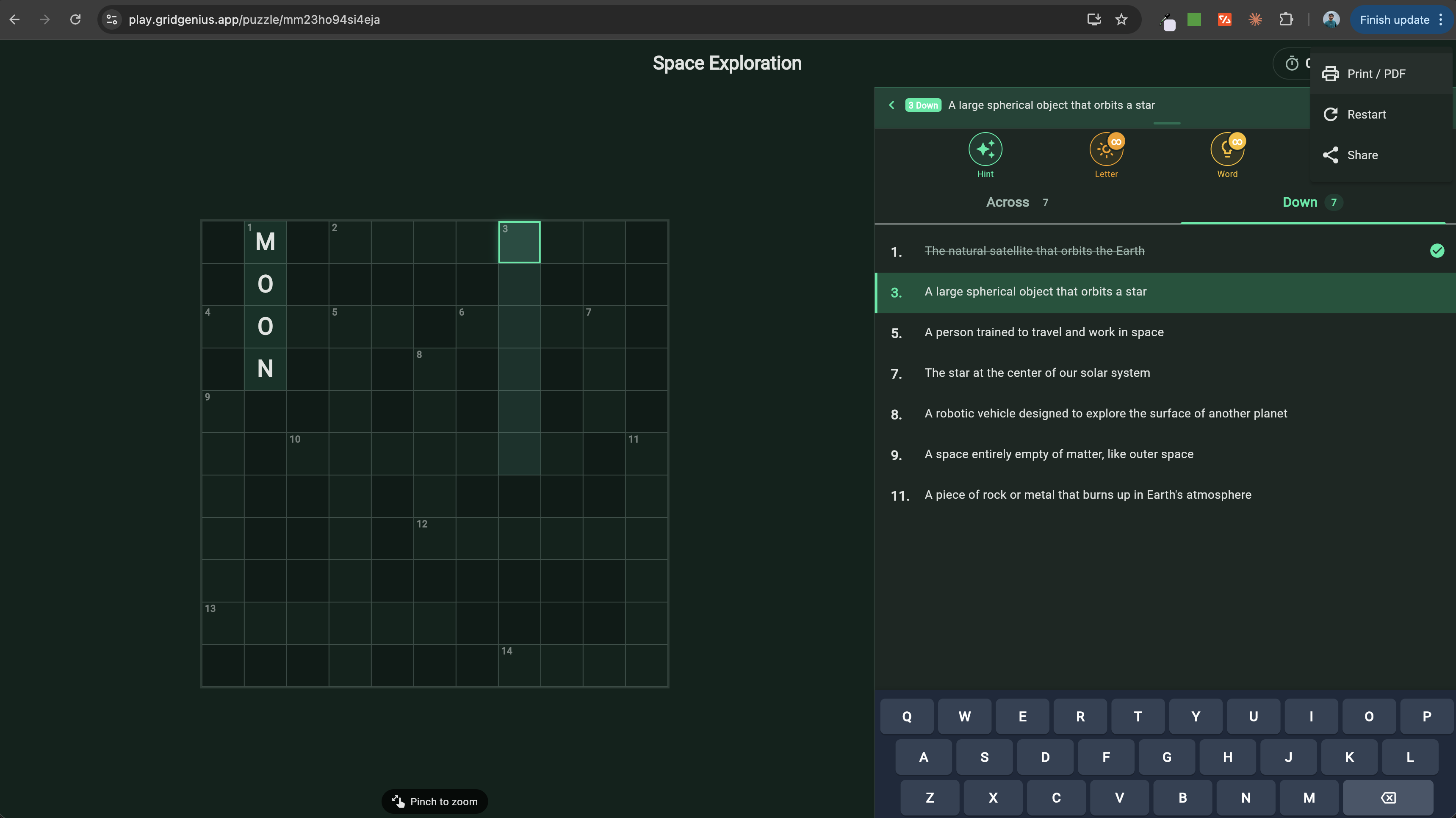
While viewing a puzzle, tap the three-dot menu (top-right corner of the puzzle screen). You'll see the "Print / PDF" option right there in the dropdown.
Step 2: Preview and Print
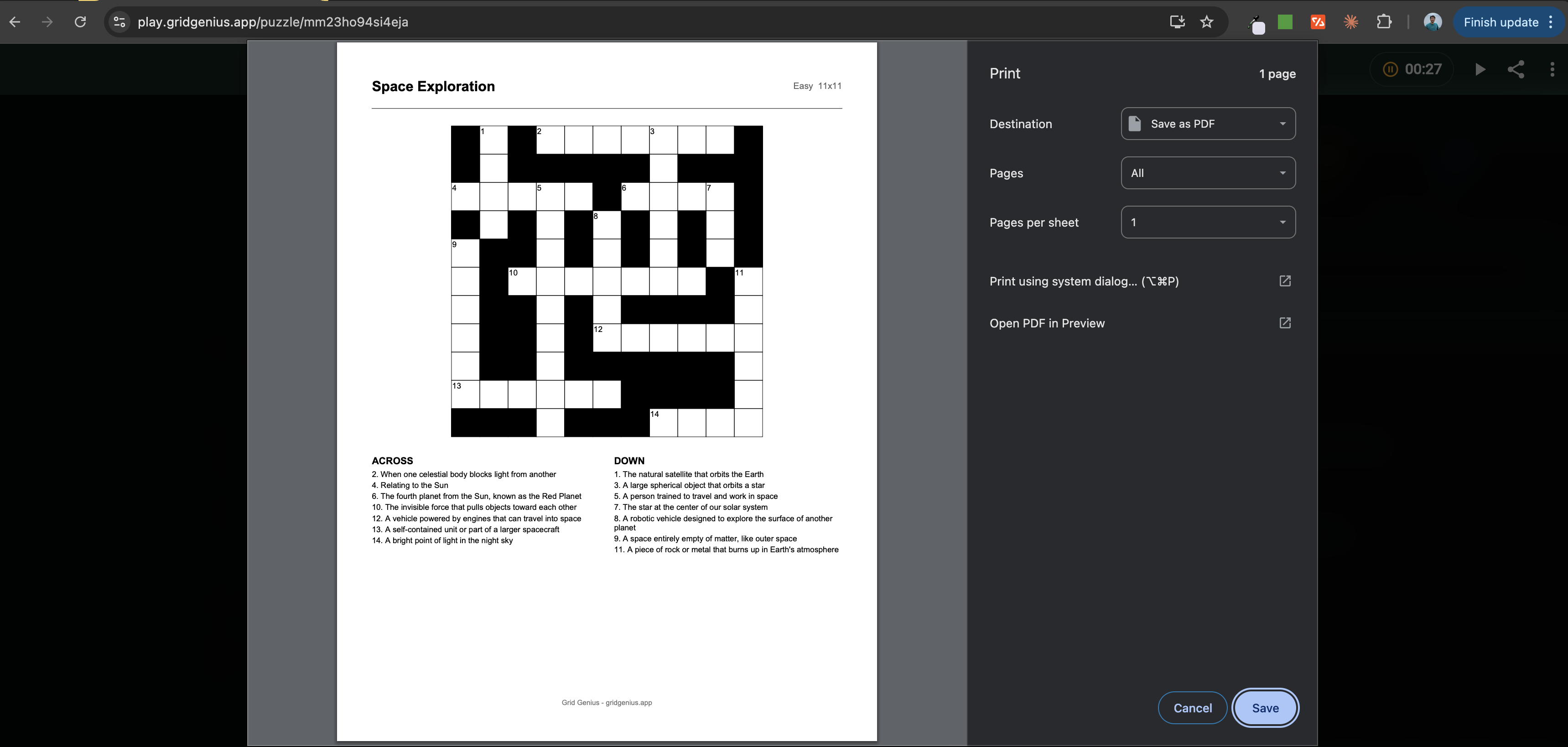
Tap "Print / PDF" and a print preview opens with your formatted puzzle. From here you can:
- Print directly to any connected printer
- Save as PDF using your browser or system print dialog
- Adjust paper size (A4, Letter, etc.)
What's in the PDF?
The exported PDF is designed to look like a newspaper crossword:
- Numbered grid with correctly placed black cells
- Two-column clue layout — Across and Down clues side by side
- Puzzle title and metadata — topic, difficulty, size
- Clean typography optimized for print
Everything fits on a single page for standard and mini puzzles. Large puzzles may span two pages to keep the clues readable.
Tips for the Best Print Experience
- Use "Save as PDF" if you want to keep a digital copy or email it
- Print daily puzzles to build a physical collection you can revisit
- Try different sizes — Mini puzzles are great for quick coffee-break prints
- Share the PDF with friends who don't have the app yet — it's a great way to introduce them to Grid Genius
Available for Everyone
PDF export is a free feature — no subscription required. Every player can print any puzzle they have access to, whether it's a daily challenge or a custom AI-generated puzzle.
Create a Puzzle to PrintReady to print your first puzzle?
Generate a crossword on any topic, then export it as a PDF in two taps.
Start Playing FreeReady to play?
Try a free AI-generated crossword puzzle right now. No download, no sign-up required.
Start Playing Free